 Like many popular figures, PewDiePie tends to get a mixed reaction. A whole lot of people love him. At least 39,743,403 people, at the time of writing this. A lot of people hate him. I’m sure some will stop by the comments down below. Then, there are people who have no strong feelings either way. Perhaps they’ve lived in Japan for a long time or something, I don’t know. Group A, you already bought PewDiePie: Legend Of The Brofist ($4.99). I’d bet you like it quite a bit, because there are a lot of jokes and references in the game that I haven’t got a hot clue about. That almost certainly means the fanservice is probably off the charts.
Group B, you probably weren’t going to buy it anyway, but let me reconfirm it for you. This game is very PewDiePie, if I may create an adjective from whole cloth. If seeing or hearing PewDiePie drives you into a crimson-soaked rage, please do not buy or play this game. Group C, tiny a group though you may be, you’re probably the only ones reading this who are actually wondering whether or not to buy the game. My answer to that question involves lots of provisos, follow-up questions, and conditionals, which means that we will in fact have to go through with a full review and not just two paragraphs with a simple branching choice. Sorry.
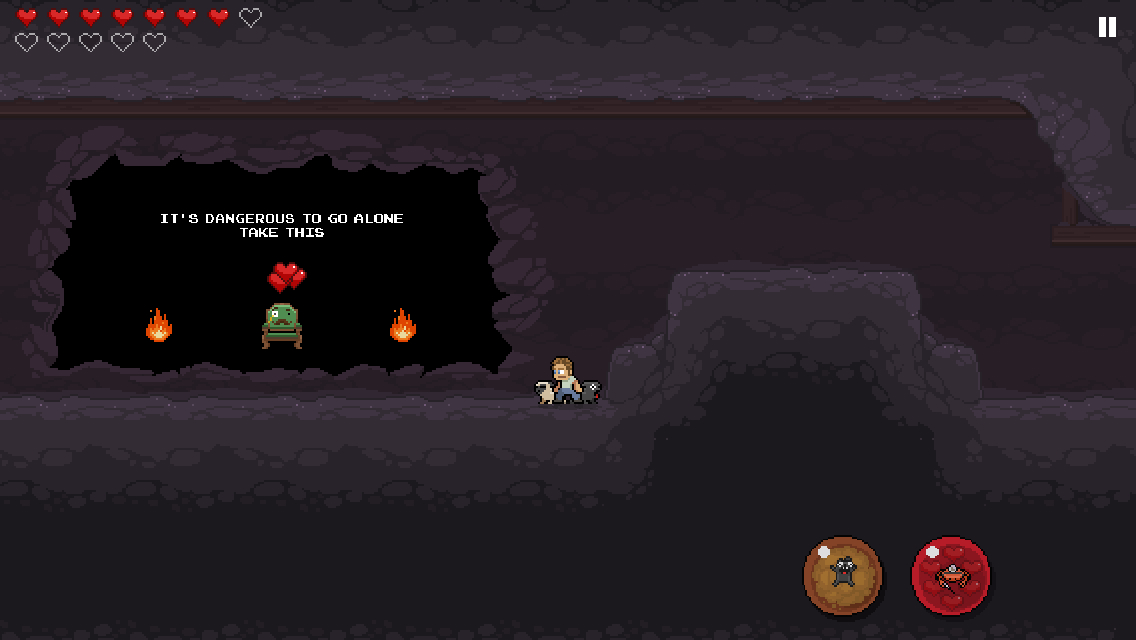
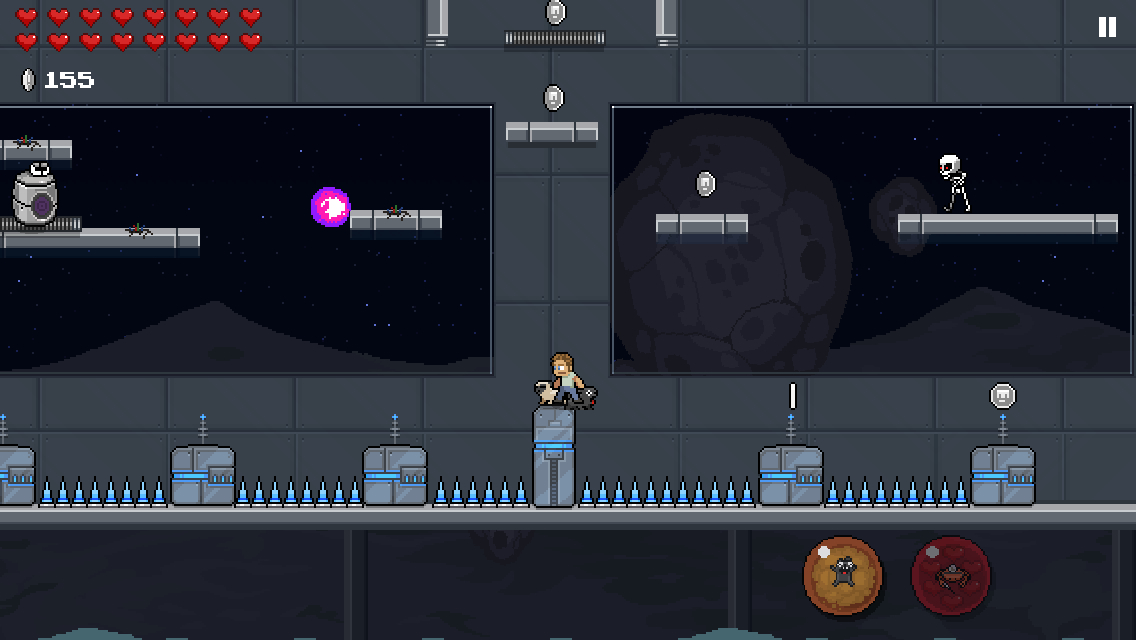
PewDiePie: Legend Of The Brofist is a side-scrolling platformer that has you playing as the world’s biggest YouTube sensation and, once you’ve unlocked them, some of his friends. The evil Barrel King has kidnapped all of your fans in an effort to seize control of the legendary Brofist. You’ll run, jump, head-bop, and dog-fart your way through 24 levels. For the most part, it’s totally run-of-the-mill platforming, but there’s one stage that plays out as a horizontal shoot ’em up, another that works a bit like the Turbo Tunnel from Battletoads, and a few that basically amount to arena survival. The levels run about a couple of minutes each at most, and there are three different difficulty settings you can play them on. Along with making the game harder, increasing the difficulty setting also yields more coins. Those coins can be used to increase a character’s health bar, unlock new characters, and open up new special moves. There are also patches hidden in each of the stages that you can collect. Oh, and if you manage to clear the game on the highest difficulty setting, you’ll unlock an even more difficult new mode.
Each of the characters has access to different moves and plays a little differently, offering a bit of extra variety to the game. While the special moves are pooled between all of them, you’ll have to upgrade each character’s life bar individually. Full upgrading a character allows you to take a ridiculous number of hits, but you’ll certainly appreciate that buffer. There are a lot of hits in the game that feel a bit cheap due to the way enemies are placed and levels are designed, but the consequences of taking a hit or two aren’t very dire on most of the difficulty settings, so it’s largely forgivable. The touch-based controls work well enough. Though it’s a little odd to have buttons for special moves and not for jumping, you’ll be doing the latter more than anything else, so it’s nice to be able to just hit the right side of the screen and not have to fish around for a virtual button. The virtual stick used to move your character is pretty good, though I had some issues with it in precision situations.
The level design and enemy placement call to mind Capcom’s 8-bit Mega Man games, and the presentation follows suit. It’s only odd in that PewDiePie has no projectile, instead limited to jumping on enemy heads or using a special attack every once in a while. This can make it tricky to hit some of the enemies that will come after you in odd arcs or fire at you from a distance. The rhythm of the game feels a bit different from most 8-bit-style platformers, so you might eat a lot of damage until you can get yourself adjusted. Once you do, it’s a pretty fun game, similar in quality to a B-grade NES licensed platformer. There are just enough gimmicks to keep it from getting stale before the end of the game arrives, and the basic feel of the gameplay is sound.
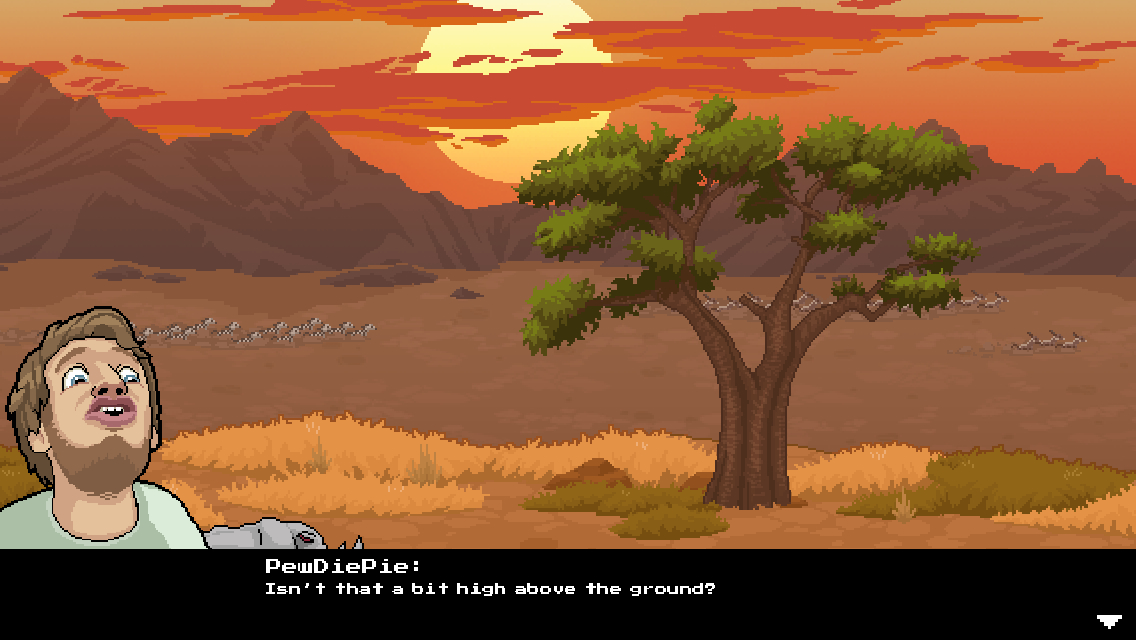
For the style of presentation the game is going for, it looks and sounds quite good. The animations are cute, the enemy sprites are nicely detailed, and there’s quite a bit of variety in the visual themes of each stage. The portraits of PewDiePie and his friends that appear during dialogues are quite well-done, capturing the personality of their subjects with only a few different variations for each. The music is good, and certainly has that immediate NES sound to it, though it’s not particularly memorable. As for the voices, the friends of PewDiePie that appear have voiced themselves, and I’m pretty PewDiePie himself handled everything else. It’s hard to comment much here since I haven’t seen too many of his videos, but the voices are all pretty consistent with what you’d see on his channel as near as I can tell. For those who don’t want to hear the voices, there is an option to turn them off, but they don’t really come up as often as you’d think anyway.
The game’s sense of humor is random and bizarre, but I can dig most of it. There are lots of references to classic games, and plenty of things that are almost certainly in-jokes for fans. I’m sure there’s some reason why the cows seem to explode in a shower of hearts and gore, or why whales sometimes fall from the sky and die gruesome deaths, but I don’t need to know where it’s from to find it funny in a weird sort of way. As someone who doesn’t follow PewDiePie much, I had trouble getting some of the humor in the conversations that happened before and after each stage, but overall, a surprising amount of the game’s character still shone through.
PewDiePie: Legend Of The Brofist is a solid game that is either elevated by its license or destroyed by it, depending on your feelings concerning its star. It’s the first part of that sentence that is important, however. This is, in fact, a solid game. It’s not particularly innovative, and iOS certainly has its fair share of well-constructed retro-style platformers, but this isn’t just a garbage cash-in. The game mechanics feel good, there are a lot of fun things to unlock and collect, and you can tell a lot of effort and resources went into the game’s presentation. The game is loaded up with fanservice both for fans of PewDiePie and classic games, and if you happen to like both, you’ll probably have a good time making your way through the game. The level designs are a little loose at times, and if you’re not interested in clearing every difficulty level or unlocking extras, it’s over a bit quickly, but overall, I think it’s a pretty enjoyable romp.

Cool but where is the coming Wednesday night games thread
(\__/)
(='.'=)
(")_(")
Sit and wait
Too bad it won't be for a week until any decent tweaks are updated.
There are many tweaks and changes happening atm in Cydia. Go have a look to see if your tweak is there ;-)
Surprisingly a lot of tweaks were already compatible! Went ahead and jailbroke this afternoon. It was great leaving iOS 8.4 in the dust.
Can't you plug in iPhone to Mac with iTunes and backup saved data that way?
That's true, but some games tie their saves to the app while it is on the device and not through iCloud. So if you wanted to delete that app and come back to it another time at the same save point you wouldn't be able to unless you were jailbroken and had that save backed up to Dropbox or something.
Also, we can't trust that the cloud will keep anything or allow us to get anything back we've ever put into it. It's always wise to back up to a physical drive, IMHO.
So backup app(and save) to iTunes?
I find my apps in the iTunes folder on my computer and back them up to an external hard drive. I also use PhoneView to transfer my app saves from the app folders on my iPhone (jailbroken) to my external hard drive. That way even if I don't have my computer or current phone, I can put that app in an iTunes library, install it on whatever device, and then transfer the save file from the external back into the app folder on the device.
Looking at the latest iTunes version for Windows they changed the transfer purchases to logically store the app but not the physical app itself. I found that I am no longer able to sync removed apps like FloppyCloud since they are no longer valid apps on the App Store.
Even with a backup to disk and restore it fails to load those apps. It makes this jailbreak very attractive if you have legacy apps.
Yes, and I recommend it!
BUT... what if you need to restore one corrupted game or app from an old backup? You can't. You have to revert ALL your games and apps and system settings to the old state at once, which means losing other data and even removal of recently-installed apps (not to mention taking forever, when all you really needed was a few bytes restored).
Imagine if you were typing a document on your PC/Mac, messed up, and needed to revert to your backup from the last time you worked on it a week ago. But if you did, it would wipe and restore your entire PC to a week ago, and you'd lose all kinds of other documents/game progress!
That's what the current official non-cloud backup situation is on iOS. iCloud us great when it works, but not all apps have a cloud sync, and anyway that wouldn't help you revert to an old version, it only protects the newest (possibly corrupt) version. So having a local backup (even a whole history, thanks to Time Machine) is very useful. Wish it were more flexible.
What's the advantage of jail breaking? Actually I've never really understood what it involves.
Youtube without ads is the greatest thing ever. That and slight customization of iOS is why I do it.
The main advantage for us mobile gamers is that we can back up our game saves by transferring the files from within the app folder structure to our computers by way of another program. I use PhoneView, but there are a ton. There's a lot of other stuff you can do, but the Cydia app that jailbreaking gives you, allows you to download tweaks, apps, and modifications. I used one app called iCleaner which cleared the cache of the phone and selected apps so that cached data didn't keep growing. It was especially helpful for apps like Facebook, Twitter, and Instagram.
I keep it simple also once I jailbreak, iCleaner is always something I miss once I'm on stock iOS.
Yeah, I just got a new phone and was waiting on a jailbreak for 8.4.1. So, for the past couple weeks, I've been really missing it. Thankfully, I got the large iPhone, so I have plenty of space... for now.
I can play PSP Tactics Ogre - Let us Cling Together on my ancient iPhone 4s with a PPSSPP emulator (and it doesn't lag much except during heavy animations). What's the advantage of jailbreaking? I don't know, maybe my PSP emulator can tell you more. ;P
Activator (an app to use gestures to substitute physical buttons), iCleaner to remove cached files and clean space, iFile to explore archives and modify (amongst other things) WhatsApp PLIST file to use an old version (with notifications previews on iOS7) without the update showing on the App Store, AirBlue file sharing to share any archive through bluetooth, InfiniFolders to have folders inside folders, an app to rename apps... There are many useful Cydia tweaks out there.
It depends on where you live and who you are talking to. I used to jailbreak my iPhone to customize icons, springboard animation and whole interface, multitasking and have additional controls before Apple added notification center and other quick shortcuts.
Presently, Apple has mostly fulfilled all of those except for UI customization, I really don't feel compelled to do so. Jailbreaking also means I will be some times behind Apple's official software updates. I am always interested in new features in subsequent iOS updates, and I find the public betas that Apple pumps out is much more attractive to me than jailbreaking my phone.
However, the sadder thing of jailbreaking is sideloading pirated apps in places like China and Hong Kong. This is where I live, and that's why some people I know are doing this.
Many have pointed out great advantages but I think they have missed one: being able to install apps outside of the App Store.
Now, I'm not referring to the ability of installing pirate apps but installing apps that for whatever reason are not allowed in the App Store. For example Comic Reader Mobi is an excellent comic book reader with the unique(?) feature of letting you enlarge the speech bubbles with a single tap. It makes reading comics on a phone screen much easier since you don't have to be zooming in and out on every page. But this app was kicked out the app store because it also let you side load comic book files.
To read pirated comics...
I'd rather have a nanny OS that looks after security and battery life than any of the features that jailbreaking could offer. Except emulators, I like those. At least you don't need to jailbreak for them anymore.
Don't you still need jailbreakto emulate stuff like PSP, DS? What do you mean you don't need to jailbreak for them
Yes.
If you are comfortable using windows then you would be able to use a jailbroken iOS device safely. Any jailbroken IOS device is orders of magnitude safer than any version of windows.
It doesn't matter how many locks you have on your door if you open the door to anybody who knocks.
Hey, saw this comment you made on touch arcade. I have an android phone with emulators..and I never wanted to jail break my IPAD 4...so are you saying there is an apple approved way to obtain emulators now, or at least legal? Any info concerning IPAD and emulators you can provide would be greatly appreciated even if you have to email me instead...and if not, all good, I understand. Email is [email protected].
Thanks in advance,
Sid
Try a web search. "Emulators on iOS no jailbreak"
Well damn. That was fast.
I've read that 5s and up should wait for some revisions. I'm waiting a couple days for my iPad Air 2.
Good.
"Per-app restores of backup data." Say it with me, Apple! From iTunes and iCloud alike. Peace of mind could be ours at last!
Can I still buy apps of the official iTunes Store?
Yes, yes you can
You can still buy everything legit it's your choice to jailbreak.
I'd really love to jailbreak for ifile, ifunbox, and a few good tweaks but fear of exaggerated battery loss stops me. I wouldn't mind if battery life took a normal hit from a tweak or such, but so many complaints about excessive battery drain from jailbreaks really do scare me off? Are they all exaggerating? am I worrying too much?
I'd love someone here to settle the issue for me once and for all. Please....
Depends on what you install. There's one tweak which is used to wake up the phone by tapping on the screen (SmartTap) which doesn't let the phone enter sleep mode, and therefore drains the battery. Other tweaks which are used to have more rows and columns of icons on the SpringBoard or to shrink their size don't do anything with the battery consumption. As I said, it all depends on what you install, but just by jailbreaking there's no battery loss.
i would like to know if Im allowed to install ios8.1.4 for example after ios9 with jailbreak. my ipad mini 2 feels sluggish :-/
If you have a signed iOS 8.1.4 ipa, then maybe, but if you don't have it, I don't think there's anything you can do to downgrade. I'm not 100% sure though.
No, the signing window for 8.1.4 is already closed. You cant go back once you have installed iOS 9.
Even if it's rare, jailbreak news is ALWAYS appreciated.
So thanks Eli!
Apple needs to include F.lux as a default iOS feature, otherwise I just keep jailbreaking only for this.
totes!
9.1 is almost out though...
I have no courage to try jb from China
Someone of them are not .......^_^