 I’ve said it many times before, but it’s a great era for shoot ’em ups. The ease of development for the mobile platform has allowed for so many classics to arrive overseas, as well as a number of other excellent, original works. Coming off of the high of Operation Dracula I was pretty excited to give Lightning Duru ($0.99) a shot, but came away less than impressed.
The name is derived from the two ships that are playable, “Lightning" and “Duru." The former has blue bullets at its disposal, and the latter’s are coated in red. Lightning has more of a straight-shot at the start that is more damaging, with the option for a backwards shot later on, and Duru is focused more-so on a larger, area-of-effect spread. I tended to side with Duru, as it felt a bit more original both in terms of aesthetic value and gameplay.
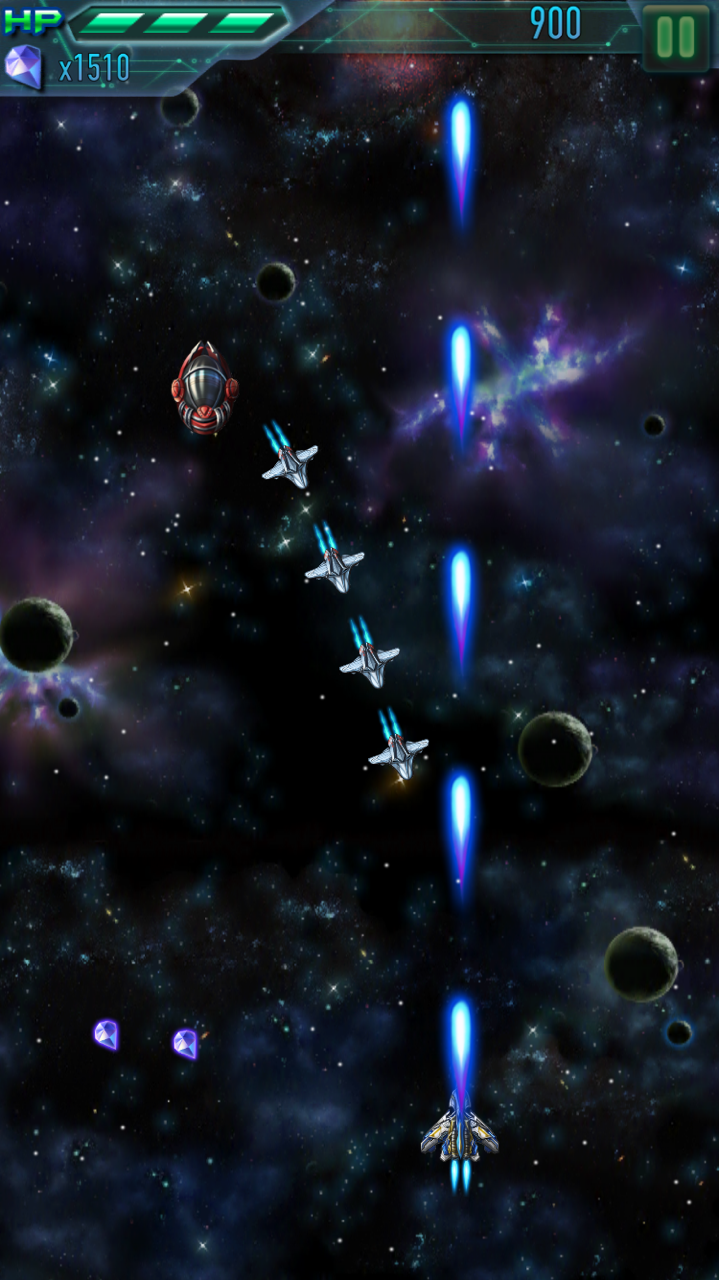 While Lightning Duru sports a pretty nifty soundtrack reminiscent of the Mega Man X series and other classic SNES games, the rest of the presentation falls flat. Every asset, from the enemy ships to the bland UI, to the tiny crystals that pop out of enemies for points, are uninspired.
There really isn’t a whole lot of depth either. While Lightning Duru does work as a basic shoot ’em up, the extent of the game’s tactics essentially amount to shooting and occasionally using a bomb item to clear the screen. There’s no advanced combo system, no real emphasis on points, or variety in general to speak of. Enemies tend to display inventive patterns from time to time, keeping you on your toes, but it’s nothing you haven’t seen before.
It’s also not ideal that there is any IAP system of any kind involved. Players can spend 300 crystals to retry a level mid-session, but they’re also available by way of the in-game store at a rate of 3000 per $0.99. You can also convert crystals into bombs, at a rate of 300 per. Given that it’s a premium app for $0.99 to begin with, I didn’t really like seeing these options in there, especially later on in the game when the difficulty ramps up.
Lightning Duru has some basic shooter mechanics going for it, but beyond that, I’d only recommend it to someone who has played everything in the genre, and then some. If this was released during the retro area, it would have likely been forgotten down the line.

Ahh i see. Thanks! Was confused about this
My experience of games that do this is that I download the game one day - then go back another day to play the game and find I can't because the game now wants to download loads more. Basically the opposite of what you described.
Well basically it is like that. You get to play with a smaller download size and use it then. Then later you would get the bigger download hopefully it's done slowly in the background though and not stopping you before the next one . I think it's basically just to downsize stuff and clutter that the App Store has as well as use there new features . But ya I'm sure there will be more console gaming and aftermarket controllers that will use the remote and more together :) I think it's all for the best . It does take a lot of older features maybe apple will do it right !!
Other sites list anything above 200 MB MUST be downloaded on demand, there is no app accessible local storage. If this is the case, games have no point, I don't want to have to redownload levels and assets because I'm over 200MB especially at home with no data caps.
Maybe in 2005, like the 360 did, but in 2015, it makes no sense.
Ya true . Hope we don't have to basically download a demo then a full file later.
You're confusing a couple different things here...
The article explains on-demand resources. These will be cached locally and unless your device is starving for space that cache should remain indefinitely (hint: buy the 64GB model). As long as Apple's caching algorithm isn't complete crap the worst you'll see is an in-game progress bar once in a while when you hit new content. I suspect most large games will try to preload data in the background to avoid that as much as possible.
The second thing is no persistent local storage. All that means is that any data an app saves out must be saved to iCloud (preferences, game saves, screenshots, whatever). Ideally iCloud will work as designed and use a local cache then sync in the background, but it's rarely that pretty in practice. I'm more worried about this than the 200MB limit to be honest.
That the high end Apple TV only has 64GB of storage is kind of worrying. Modern AAA PC and console games (even those by Nintendo) frequently weigh in at 15 or 20 GB.
I'm going to fret a little bit about this. One of my big concerns would actually be Final Fantasy VII - look at how long it took to port it to mobile. Asking them to re-architect it for on demand resources might be too much of an ask. My big apprehension isn't about new games, but about ports of old games.