'Chopper 2' Review – A Game That's More than Universal

posted July 26th, 2010 11:14 PM EDT by Blake Patterson in $2.99, $4.99, News, Reviews, Shooter, iPad Games, iPhone games, iPod touch games

David Frampton and his Majic Jungle Software first crossed our radar when his aerial shoot and rescue title Chopper [App Store] debuted two years ago as one of the more notable App Store launch titles. Chopper was very well received from the start and quickly became one of the true App Store success stories, seeing 500 downloads a day (at $7.99), early on. Since then, the game has been downloaded more than 350,000 times.

A little over half a year after Chopper's debut, inspired by the game's success, Frampton began work on the sequel, Chopper 2. And quite a bit of work it turned out to be. Originally expected to be completed in just six months for an August '09 release, Chopper 2 has taken a hefty 16 months to complete. But, at long last, it has landed in the App Store [link].
So just what's taken so long to bring this title to the App Store? For one, Chopper 2 has emerged a universal application that runs on the iPhone / iPod touch, iPhone 4, and iPad, fully utilizing the screen resolution of each device. And that's not the last word on the display options offered by the game. In this area, as well as in the area of game controls, Frampton has gone rather above and beyond. But, more on this in a bit. Let's first look at the gameplay.

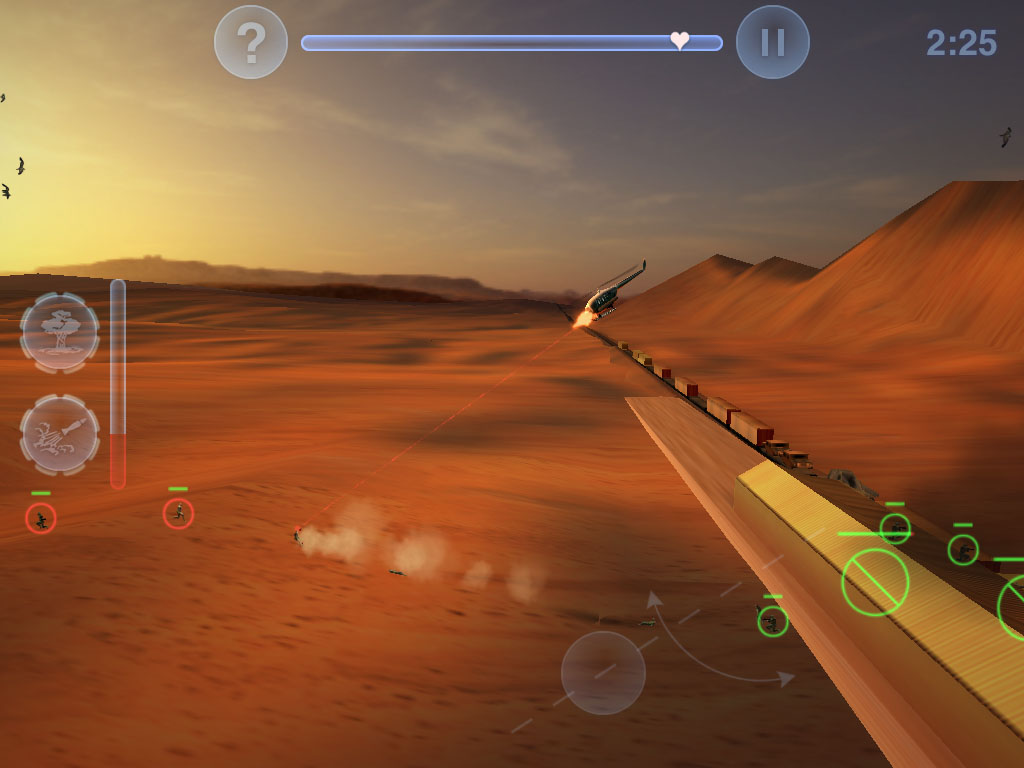
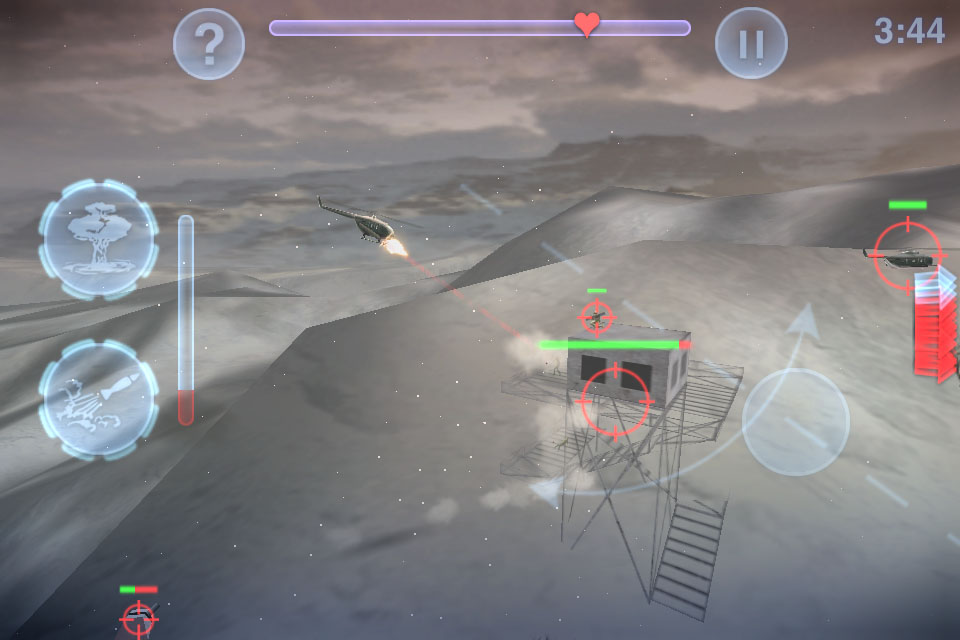
Chopper 2 is a highly enhanced take on the same basic shoot and rescue formula of the original. It features that same side scrolling action, but with a completely re-written 3D engine that delivers dramatically improved, highly fluid "2.5D" visuals with a much greater depth-of-field. The experience of weaving about the enemy airspace, laying down fire while dodging missiles, trees, and flocks of birds (they do damage, too!) is a white-knuckle affair, and the deep, parallax scene rendering of your chopper gliding along a canyon wall can really bring the vertigo at times.
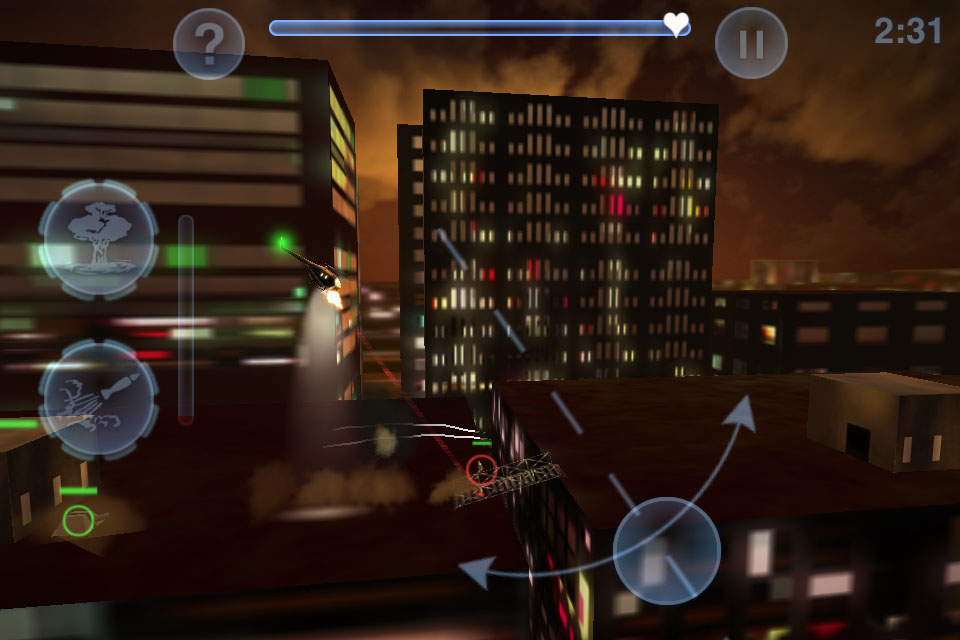
And it's not just canyon walls you'll be negotiating. There are 12 distinct locations in the Chopper 2 world, and each contains three different missions for 36 total missions to the game. Terrains include desert, snowfields, cityscapes, countrysides, and more. There are a range of mission types thrown into the mix, as well — rescue ops, deployment, caravan defense, search and destroy, etc. Initially, only a training mission is available for play, and progressive missions unlock based on goals achieved.

Enemies you'll encounter include ground troops, anti-aircraft turrets, tanks, and enemy choppers. To take on these baddies, your chopper is equipped with directional cannons (aim controlled with a finger swipe), bombs, and missiles, depending on the mission at hand. Along the way, many levels feature armament refuel pads that can outfit your chopper mid-battle.

OpenFeint integration tracks your achievements and high scores online.

And now for those particularly interesting details I hinted at, earlier. The game uses tilt controls by default, but they're not your parents' Chopper controls. Chopper 2 utilizes a nonlinear, stepped control system that mimics an actual helicopter control response model, based on actual pilot feedback. What's more, on the iPhone 4, the device's gyroscopes are fully utilized to deliver more precise motion control. For those not keen on accelerometer-based controls, the developer has added the option of an onscreen analog control stick. But, interestingly, all of the aforementioned is not the most noteworthy thing about Chopper 2's control options. Users with both an iPad and an iPhone or 2G iPod touch (or better) can tether the devices together via Bluetooth to allow gameplay on the iPad with remote iPhone control, for the best control arrangement of all. In addition, with Apple's VGA or component video out adapter (the former providing much better results), players with an iPad + iPhone Bluetooth control configuration can enjoy the game on a large, external display, as demonstrated in the embedded video above, which shows the game on a 42" screen, and our own, brief video showing the game on a 50" plasma screen. These are truly impressive extras that really take the game to the next level. (And hats off to the excellent floating intro text that starts off each mission — truly cinematic.)

See the developer's game trailer for a closer look at the action.

The original Chopper was probably one of the best action games available when the App Store went live back in June 2008. A huge amount of work went into the sequel, which is laden with all kinds of bells and whistles one might not expect to find in an iPhone platform game, and it clearly shows. Chopper 2 is a quality production that I can recommend to any gamer with an iPhone platform device. It's miles beyond the original and stands as a perfect example of all that iPhone gaming can be.

Chopper 2 is available for a limited time at a launch sale price of $2.99, after which it will be available for the standard price of $4.99.
App Store Link: Chopper 2, $2.99 (Universal)
Support Our Sponsors:

37 Comments

  • Nick says:

    Great game! The ability to control the game on the ipad with an iphone is a great example of gaming ingenuity. I hope more games in the future take advantage of this technology.

    Great graphics as well!

  • Adams Immersive says:

    Cool! How about direct from iPhone to TV? A single device, and you tilt it (despite the rather heavy cord hanging off it) to control?

    (I think app support for TV-out is relatively new to iPhone and iPod. iPad had it first IIRC?)

  • Greg says:

    I really hope the developer comes out with a free 'controller' app for the iPhone for people who bought the iPad version. Syncing universal apps is too much of a hassle on my slow Windows iTunes. Free controller apps is how most of these iPhone-controls-iPad things work.

    • Matt Rix says:

      I'm sorry but I don't understand your logic: Just download the app on your phone, and download it on your iPad… Why do you have to sync at all?

  • Brian A says:

    Definitely going to have to get this game, been looking forward to it for a while, and a bargain at $2.99.

    @Adams Immersive: Have you seen this old video?
    http://toucharcade.com/2008/12/05/playing-moto-chaser-on-a-tv-from-an-iphone/

  • Simeon says:

    Devs should create a whole new app because Greg has a slow piece of crap computer. Yeah that makes a lot of sense…

    • araczynski says:

      iTunes is rather slow on any Windows computer, especially in comparison to something I thought was the epitome of molasses in the past, the windows media player… I'm not sure what in the world they coded in there, maybe high level encryption/decryption of every CPU cycle owned by the iTunes process.

      iTunes for Windows is just terribly written.

    • PeterM11 says:

      lol, I didn't wanna say it.

    • Greg says:

      Ouch :) it's a pretty well-known fact that iTunes is not optimized for Windows. A simple thing like dragging bars to scroll makes you feel like you're trying to run Crysis with all the lag.
      Also, I was a bit taken aback by this approach. Almost all apps with this iPhone-Controls-iPad mechanism use a free 'controller' app (Ping Pong, Scrabble, The Pinball and Darts are some examples). It really is easier.

      • Jason says:

        Oh boy, please allow me to explain AppStore basics 101 for all the nooblets like Greg. Greg, dog, duder, it's beyond easy, broseph. You've already purchased the game. All you have to do is hit the cute little purchase button on your iPhone. It will ask you for your iTunes password, you put it in, and iTunes will display a wonderful little message which notifies you that you've already purchased it, and it will ask you if you would like to download it again for FREE. Click "OK" and you're done. You won't get double charged, I've done this countless times in the past, it's also an easy way to redownload an app that you may have deleted in the past without syncing.

        iTunes will never charge you for the same app twice, no matter how many times you download it. No need to thank me for this valuable lesson I've provided, I don't mind being the guy who actually READS silly little things like FAQs and TOS's in order to better grasp how a company that I entrust my credit card info to conducts business. Your thanks in the form of an apology to the dev for making snarky remarks out of ignorance are good enough.

      • hunkeydorey says:

        I honestly do not understand what you are complaining about. You just put the app on both your iPhone and iPad. You don't have to sync anything. Just download it from the device app store onto both. You don't need a computer to download an app. Why would the dev need to make a free controller app? If you buy the universal app, you bought it. You don't have to buy it twice to put it on 2 devices. I am seriously flabbergasted by your complaining.

      • hunkeydorey says:

        HOW THE HELL IS IT EASIER??????? YOU STILL HAVE TO LOAD AN APP ONTO EACH DEVICE!

      • Greg says:

        Some people don't have 70 MB to spare on an iPhone app they only want to play on their iPad. :)

      • Eeyoore says:

        Greg, get a grip on reality. You are only embarrassing yourself.

  • PeterM11 says:

    Can anyone tell me how the replayability is on this game? I never got the first one and just tried the Lite. I like it but I'm really trying to only get games I'll be coming back to. Is it just good enough that I'll keep replaying or is there any kind of survival mode or something?
    Thanks

    • Eeyoore says:

      Its an arcade game. Arcade games are all about replay ability.

      People need to stop looking at everything as an adventure game where the goal is just to reach 'the end'.

  • Bryan Duke says:

    I absolutely love Chopper 2. If you don't have $2.99 right now, find it ASAP. The controls are awesome!

  • Markus Nigrin says:

    @PeterM11: played it for one hour now and just got to level 8 or so, I replay levels a lot to get better scores (low flying = faster flying = higher score and that is so tempting for me to go Kamikaze style most of the time: high speed with lot's of fly-by shootings :) Love that and just kicked Bryan off Nr. 1 in the Canyon levels, can't get better than that

  • martin_tf says:

    Wow, missed the original this looks fantastic. Price is excellent and it works on the iPad too.

  • Eng says:

    Ive just realised what else this needs…red blue 3D…it has everything else, might aswell have that too ;)

  • AIM-R8 says:

    Who knew, the iPad is a TV game console system!

  • AIM-R8 says:

    Capcom should utilise this for their next Street Fighter 4 update, or new game.

  • Mike says:

    having a bit of trouble getting it to pair with both devices. Other than that, great app.

    • Matt Rix says:

      Yeah I have the same problem with syncing… My ipod touch 2G and iPad can see each other, but when I actually tell them to connect, it just never happens.

  • Rob says:

    @greg go to the app store find the game install there for free using your apple id. simple no need for itunes

  • Daniel says:

    Awesome game. Been waiting for it. Big thank you to the developers who made this game truly universal for all i devices. I really love playing the game on my iPad while using my iPhone as a controller.
    Graphically though I'd think the iPad/iPhone 4 could do more (e.g. some nice water effects). But I love this game, especially since I played the original on the good old C64 ;-)

  • James Cude says:

    Get to da CHOPAAAAH!

  • Crunc says:

    So, if you don't have an iPad, is it worth picking up for the iPhone (4)? I actually have the original, but it was purchased in a hailstorm of other apps and I never got back to it. Probably I should just play it, but, well, I'm an addict….

    • Dave says:

      @Crunc

      Yes. I actually prefer playing on my iPhone 3gs than my ipad…easier to control.

      The iPad/iPhone controller combo is fun, but I have noticed I control it better on the iphone alone due to the small lag between devices.

  • Klaus says:

    I have to say thank you Mr. David Frampton, even on an 1st Gen iPod Touch the game runs and looks perfectly! This is something where a lot of nowadays gamedevelopers should take a leaf out of! You are a real genius!

  • Eeyoore says:

    Incredible game. My only complaint is that the control should be inverted by default.

  • Remon says:

    Exelent game! Love the iPhone iPad combo a lot

  • Altrez says:

    Can you use a ipod touch 2gen to control the iPad for this game? It says it uses bluetooth but the ipod touch does not have bluetooth?

    -Altrez

  • Ex2bot says:

    Altrez, your 2nd gen iPod *does* have Bluetooth. You may need to turn it on in settings.

    Bot

  • Altrez says:

    @Ex2bot

    Wow had this thing for 1 year an never noticed it. Thank you!

    -Altrez

  • Alex.B says:

    I like the game but I am having trouble with the last mission of the game.

Leave a Reply


SUPPORT OUR SPONSORS